
Do First
Urgent & importantHandle what needs your attention now.
A little structure. A lot more focus.
Your private Eisenhower Matrix, on every screen you own.
Available on
Free. Private. No sign-up required.
Sample tasks. Check one off, or move it to another quadrant.
Nothing here is saved. Try it freely.
No paid tier. No expiring trial. No ads.
Your tasks stay on your device by default.
A single App Store listing covers all three.
Two questions change how you see your day: is it urgent, and is it important? The Eisenhower Matrix turns the answers into four clear actions.
Now with your real tasksHandle what needs your attention now.
Make time for the work that moves you forward.
Find the right person for the task.
Let go of what doesn’t deserve your time.
Capture quickly. See the quadrant. Move on.
The web and native apps share the same approach.
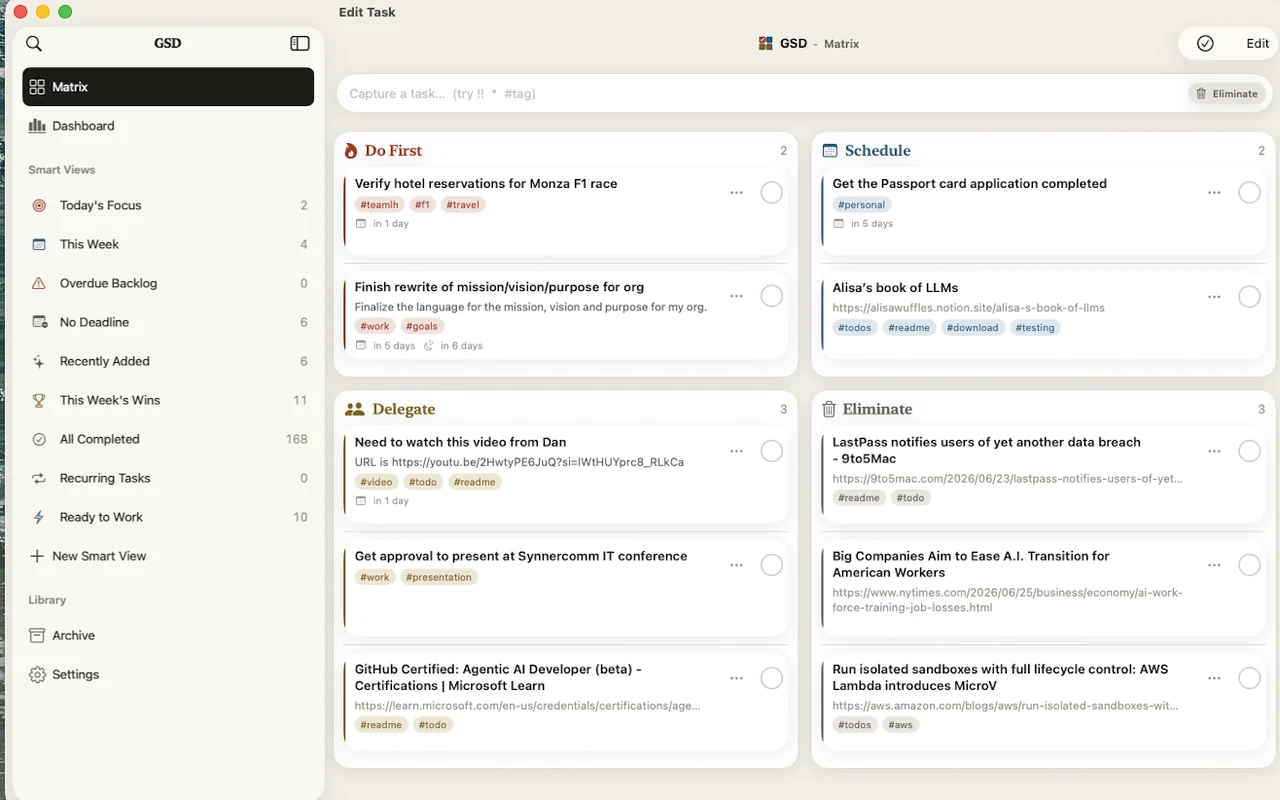
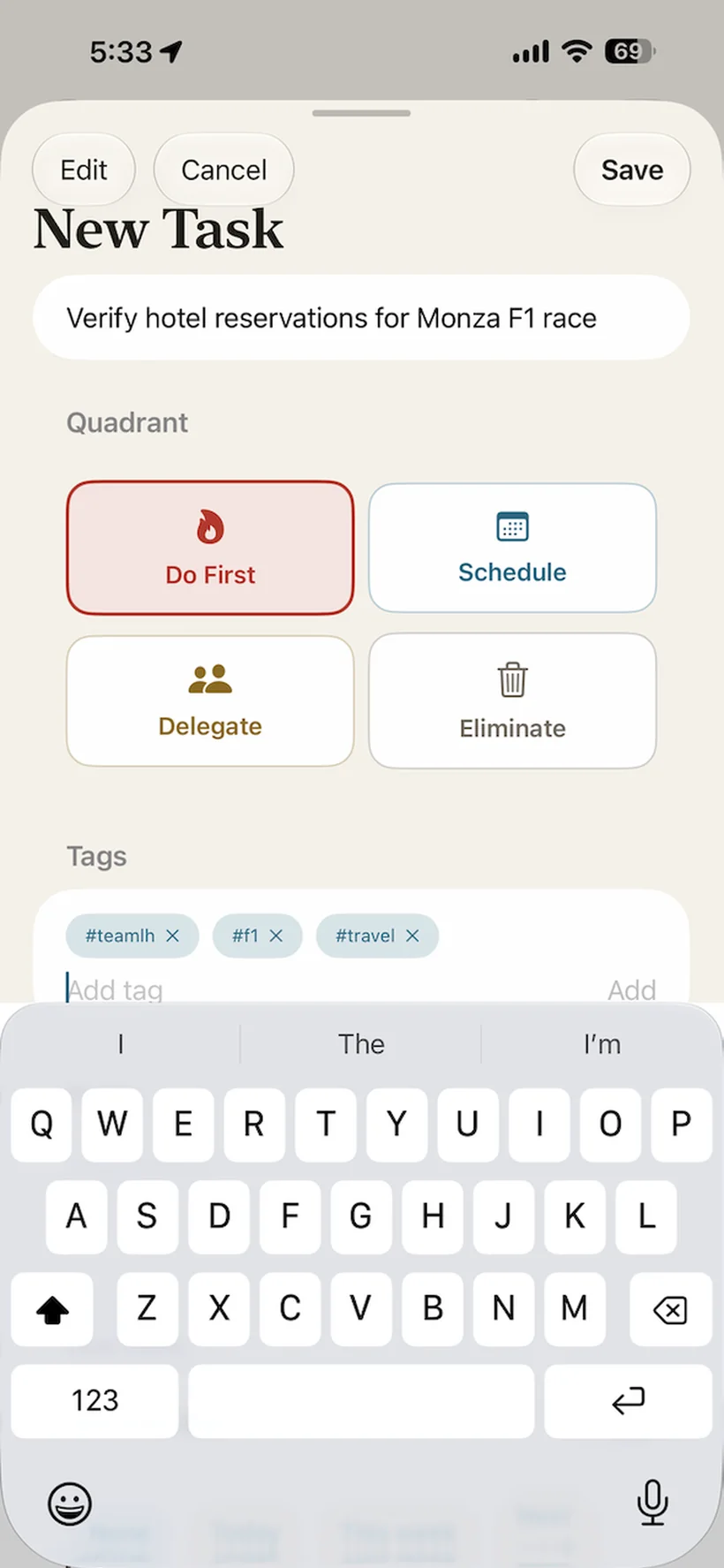
Capture a task, set its priority, and swipe it done. A 45-second look inside GSD.
Two exclamation points send a task to Do First. Swipe to complete it, then review your progress in the dashboard. No sound needed.
Start in the browser, or feel at home
in a native app.
Open it in your browser. Install it as a PWA. Keep working offline.
Open the web appQuick capture, widgets, share-sheet input, and native controls.
Download on the App StoreDesktop navigation and keyboard-first commands, beside your work.
Mac App StoreThe web app works on Android today, including offline as a PWA.
Follow for updatesPrivacy is built into how GSD works. Your tasks live on your device, with no account required. Sync only happens when you choose it.
Read the privacy policyGSD works fully without sync. Turn it on when you want the same matrix on your laptop, phone, and tablet.
Sign in with Google, GitHub, or Apple, on the web or in the native app. With sync enabled, a PocketBase backend holds a copy of your tasks for your account.
Signing out leaves your local tasks intact. Prefer to run your own backend? Use the Docker stack.
Explore self-hosting$ npx gsd-mcp-server --setup
> What needs my attention this week?
get_upcoming_deadlines()
Do First Renew passports
Schedule Draft next quarter’s plan
> Move the draft to Do First
update_task(dry_run: true)
Review before write.
Connect Claude or another MCP-compatible assistant to list, search, create, and complete tasks, with dry-run writes to review before changes.
The MCP server uses the sync backend, so sync must be enabled. The web app and MCP server are MIT-licensed.
Yes. There’s no paid tier, no trial that expires, and no ads. The web app and MCP server are MIT-licensed open source, so the claim is checkable.
On your device. The web app keeps tasks in your browser’s IndexedDB; the native iPhone, iPad, and Mac app keeps them in a local on-device database. By default no copy exists anywhere else.
No. The app opens straight into your matrix. The only feature that asks you to sign in is optional sync, and it stays off until you enable it.
You sign in with Google, GitHub, or Apple, and your tasks are kept current across your signed-in devices through a PocketBase backend. While sync is on, the server holds a copy of your tasks scoped to your account; you can sign out anytime, and your local data remains yours. You can also self-host the backend with the Docker stack in the repo.
Yes. The web app is an installable PWA that works fully offline, and the native app is offline-first. If sync is on, changes made offline queue up and reconcile when you reconnect.
It lets MCP-compatible AI assistants like Claude read and update your tasks: list, search, create, complete, plus analytics like productivity metrics and upcoming deadlines. Setup is one command (npx gsd-mcp-server --setup). It talks to the sync backend, so it requires sync to be enabled.
It’s in the works. In the meantime the web app runs well on Android. It installs as a PWA and works fully offline, same as everywhere else.
Always. Export your tasks to a JSON file from the app, and import them back later with merge or replace. No lock-in is part of the privacy promise.
Open your matrix. No account required.
Get started for free